FOR IBM BY HITACH AND LG 14.1LCD4 Lcd Laptop Screen LP141X7B1IB LT141X5-124 LT141X7-124 LTN141X8-L02
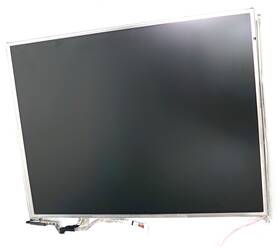
( Brand: For Ibm By Hitach And Lg ), ( Manufacturer Part Number: 14.1LCD4 ), ( Compatible Brand: For Ibm ), ( Type: Lcd Screen ), ( Country Of Origin: China )
Review FOR IBM BY HITACH AND LG Lcd Inch Laptop Screen
The **IBM Hitachi LG 14.1-inch LCD Panel (LP141X7B1IB, LT141X5-124, LT141X7-124, LTN141X8-L02)** is a high-performance, professional-grade display designed to deliver exceptional clarity, reliability, and durability for business and enterprise applications. Part of a trusted lineup of industrial-strength monitors, this **14.1-inch LCD panel** combines precision engineering with advanced optical technology to ensure crisp visuals, minimal glare, and consistent color accuracy ideal for environments where productivity and visual fidelity are paramount. Engineered to meet stringent industrial standards, this display features a **1024x768 (XGA) resolution**, providing ample screen real estate for multitasking, document editing, and data analysis without sacrificing sharpness. Its **14-inch diagonal active area** offers a compact yet functional workspace, making it well-suited for laptops, workstations, and embedded systems where space efficiency is critical.
Built with **high-quality LG panel technology**, this LCD panel incorporates **TN (Twisted Nematic) or IPS-like (depending on model) alignment**, delivering fast response times (typically **8ms or less**) for smooth graphics rendering, reduced motion blur, and improved readability during dynamic tasks such as video conferencing or spreadsheet manipulation. The **anti-glare coating** enhances visibility in brightly lit environments, reducing eye strain and improving focus, while the **wide viewing angles** (up to **160 horizontal and vertical**) ensure consistent image quality whether viewed from a direct front position or at an angle. For added durability, the panel is constructed with **robust internal components**, including **long-lasting backlighting** (often featuring **CCFL or LED backlighting, depending on the variant**) that minimizes flicker and extends operational lifespan, even under continuous use.
Compatibility is a key strength of this panel, as it is designed to integrate seamlessly with a variety of **IBM ThinkPad, Lenovo, and other business-class laptops**, as well as custom-built systems requiring a reliable display solution. The **14.1-inch form factor** strikes a balance between portability and usability, making it a popular choice for professionals who require a compact yet high-performance screen without compromising on visual quality. Whether used in corporate offices, educational settings, or industrial applications, this panel ensures **reliable performance, minimal maintenance, and professional-grade image quality**, reinforcing its reputation as a dependable component in mission-critical devices.
For technicians and manufacturers, the **LTN141X8-L02** and other variants in this series are particularly valued for their **cost-effectiveness and availability of spare parts**, making them a practical choice for repairs and replacements in enterprise IT environments. With **low power consumption** and **minimal heat generation**, this panel also contributes to the overall efficiency of the system it is installed in, reducing energy costs and extending the lifespan of associated hardware. Overall, the **IBM Hitachi LG 14.1-inch LCD panel** represents a blend of **industrial reliability, optical precision, and professional-grade performance**, making it an indispensable component for businesses and organizations that demand dependable visual output in demanding operational conditions.
### **Pros and Cons of buying a IBM Hitachi LG 14.1" LCD (LP141X7B1IB, LT141X5-124, LT141X7-124, LTN141X8-L02) Laptop Screen**
#### **Pros**
1. **Reliability and Durability**
The IBM Hitachi LG screens are known for their robust build quality, often featuring reinforced glass and sturdy frame construction. These displays were commonly used in business and enterprise laptops, where longevity was a priority. Many users report that these panels can last well beyond the typical lifespan of a laptop, especially if the screen itself is replaced rather than the entire display module.
2. **Good Brightness and Visibility**
These screens typically offer decent brightness levels (around 250-300 nits), making them suitable for office environments with moderate lighting. The TN (Twisted Nematic) panel technology used in these models provides fast response times (often 8ms or less), which is beneficial for tasks involving quick visual updates, such as spreadsheets or presentations.
3. **Compatibility with Older and Newer Systems**
The LP141X7B1IB and related variants are designed to fit standard 14.1" laptop form factors, making them easy to install in a wide range of laptops, including older IBM ThinkPads, Lenovo ThinkPads, and other business-grade laptops. They can also be used in custom builds or repairs, as they are widely available in the used/refurbished market.
4. **Affordability**
Compared to newer IPS or OLED panels, these TN panels are significantly cheaper. For users on a budget or those looking to repair an older laptop without upgrading to a higher-end display, these screens offer a cost-effective solution.
5. **Wide Availability**
Due to their age and popularity in business laptops, these screens are still widely available in the used market, both through online retailers (eBay, Amazon, AliExpress) and local electronics repair shops. This makes sourcing relatively easy, even for niche variants.
6. **Minimal Color Distortion (for TN Panels)**
While TN panels are not known for vibrant colors, they do provide consistent color reproduction, which can be an advantage for tasks like data analysis or coding where color accuracy is less critical than clarity and speed.
---
#### **Cons**
1. **Poor Color Accuracy and Wide Color Gamut**
TN panels suffer from narrow viewing angles and poor color accuracy, with a typical sRGB coverage of around 60-70%. This makes them unsuitable for graphic design, video editing, or any professional work requiring accurate color representation. If color fidelity is important, an IPS or OLED panel would be a far better choice.
2. **Low Response Time Limitations**
While the fast response time (8ms) is useful for reducing motion blur, it does not compensate for the inherent limitations of TN panels in terms of color and viewing angles. Gamers or users who prioritize smooth visuals in fast-paced applications may still find TN panels lacking compared to modern alternatives.
3. **Outdated Technology**
These screens use older technology (TN panels) that lacks features found in modern displays, such as:- **High refresh rates** (common in newer laptops, e.g., 120Hz or 240Hz).
- **Better power efficiency** (modern panels consume less power).
- **Touch support** (not applicable here, but newer displays often include touch functionality).
- **HDR or advanced brightness controls** (not present in these older panels).
4. **Potential for Burn-In (Less Common but Possible)**
While TN panels are less prone to burn-in compared to OLEDs, prolonged static images (e.g., a logo or menu) can still leave faint ghosting. This is more of a concern for users who display static content for extended periods.
5. **Limited After-Sales Support**
Since these screens are no longer manufactured, warranty or replacement options are nonexistent. If the screen fails after installation, the user is entirely responsible for repairs or replacements.
6. **Aesthetic and Ergonomic Drawbacks**
The TN panel s narrow viewing angles mean colors and contrast can shift significantly when viewed from the sides. This can be distracting or uncomfortable for prolonged use, especially in collaborative settings where multiple people may view the screen from different angles.
7. **Potential for Dead Pixels or Manufacturing Defects**
Older screens, especially those from used/refurbished sources, may have dead pixels or minor manufacturing defects. While this is not universal, it is a risk when purchasing secondhand displays.
---
### **Conclusion**
The IBM Hitachi LG 14.1" TN panels (LP141X7B1IB, LT141X5-124, etc.) are a practical choice for users who prioritize **durability, affordability, and compatibility** over **color accuracy, viewing angles, or modern display features**. They are ideal for:
- **Business users** who need a reliable, long-lasting display for office tasks (spreadsheets, documents, presentations).
- **Budget-conscious repair enthusiasts** looking to restore an older laptop without investing in a high-end replacement.
- **Users in low-light environments** where brightness is more important than color quality.
However, they are **not suitable** for:- **Graphic designers, video editors, or photographers** who require accurate color representation.
- **Gamers or users who prioritize smooth visuals** (e.g., fast-paced games, 4K content).
- **Those who frequently view the screen from angles** (e.g., collaborative workspaces).
---
### **Recommendation**
- **Buy if:**You need a **reliable, cost-effective replacement** for an older laptop where color accuracy is not critical, and you value longevity and ease of installation. These screens are excellent for **repairing business laptops, budget builds, or systems where the primary use is text-based work**.
- **Avoid if:**You require **high color fidelity, wide viewing angles, or modern features** like high refresh rates or touch support. In such cases, investing in a **modern IPS or OLED panel** (e.g., from Dell, Lenovo, or ASUS) would be a better long-term choice, despite the higher upfront cost.
- **Alternatives to Consider:**- For **budget repairs**, look for **used/refurbished IPS panels** (e.g., 14.1" IPS screens from older MacBooks or business laptops).
- For **new builds**, consider **entry-level IPS panels** from brands like **Acer, HP, or ASUS**, which offer better color and viewing angles at a reasonable price.
- If **gaming or media consumption** is the priority, explore **14.1" IPS panels with 120Hz refresh rates** (e.g., from Lenovo Yoga or Dell XPS series).
Ultimately, the IBM Hitachi LG TN panels are a **solid, no-frills option** for specific use cases but are **outdated by modern standards** in terms of display technology. Weigh your priorities carefully before deciding.
Details:
part #: 141lcd4 prices
- $19.95-$129.99
specifications laptoscreelc:
- brand: For Ibm By Hitach And Lg
- mpn: 14.1lcd4
- compatible brand: For Ibm
- type: Lcd Screen
- country of origin: China
seller laptoscreelc:
- city: SAnd Lake, Michigan
- rating: 99.5%
- # reviews: 3811
shipping laptoscreelc:
- class: StAndard
- transit: 2-5 Days
- carrier: USPS
- service: USPS Ground Advantage
- cost: $7.00
- type: Fixed
payments laptoscreelc:
- other
- credit card: Discover
- wallet: Google-pay
offer laptoscreelc:
- options: Ship-to-home
- availability: In Stock
- quantity: 1
- sold: 0
- started: April 30, 2026
general laptoscreelc:
- Computer Components Parts > Laptop Replacement Parts > Laptop Screens LCD Panels
- condition: Used
returns laptoscreelc:
- paid by: Seller
- policy: Returns Accepted
- time: 30 Days
- method: Money back
For Ibm By Hitach And Lg 14.1LCD4 Is Similar To:
- 4328730991 Acer Aspire Replacement Screen For Laptop Led Hd 634304510660 (12.8% similar) 2 year warranty. Repair difficulty - low. Product features warranty: 2 years screen size: 15. Disconnect your laptop power And remove the battery before installation to avoid any damage of electrical components. 6 connector: 30 pin led socket screen finish: matte resolution: GSX 1366X768 HD this is ...(November 17th, 2018)
- 6434349 Acer Aspire Replacement Screen For Laptop Led Hd 634304510387 (13% similar) Product features warranty: 2 years screen size: 15. Repair difficulty - low. Please, make sure your original screen has the same specifications before purchasing this item. Disconnect your laptop power And remove the battery before installation to avoid any damage of electrical components. 2 year ...(November 17th, 2018)
- A986011l327p Generic Laptop Lcd Replacemnet Led For Dell Inspiron (25.4% similar) 25 laptop lcd screen resolution: GSX x 900 type: led diode connector: 40 pins bottom left may contain 3 to 5 dead pixels please match your original screens back light type, size, And resolution before you purchase this item, because some model's come with more than one type of screens. 75 x ...(May 11th, 2018)
- Led-1280-800-g-30-13.3-mac Apple Lcd Screen For Macbook Led 656729547069 (16% similar) 5X8X12 anarchistic: 69. You cannot deviate from your current screen specifications. Product features screen size: 13. Purchasing a screen with different specifications will not work your system...(April 26th, 2018)
- Led-1366-768-g-40-15.6-n3005 Acer Aspire New Replacement Lcd Screen For Laptop 634304542029 (18.4% similar) 37 pounds size:'technical installation required item DIMENSIONS:1. You can deviate from your current screen specifications. Product features screen size: 15. Purchasing a screen with different specifications will work your system...(November 30th, 2018)
- Led-1366-768-g-40-15.6-slim-u-l204 Generic Asus New Replacement Lcd Screen For Laptop 634304542098 (18.7% similar) You can deviate from your current screen specifications. 05 pounds size:'technical installation required item DIMENSIONS:1. Purchasing a screen with different specifications will work your system...(November 30th, 2018)
- Led-1366-768-g-40-15.6-slim-u-x20 Generic Replacement Screen For Laptop Led Hd Glossy 634304525336 (11.2% similar) You cannot deviate from your current screen specifications. 26 pounds size: 'technical installation required item DIMENSIONS:1. Purchasing a screen with different specifications will not work your system. Product features screen size: 15...(November 17th, 2018)
- Led-1366-768-g-40-15.6-slim-u-x21 Generic Replacement Screen For Laptop Led Hd Glossy 634304522656 (11.2% similar) 2 pounds size:'technical installation required item DIMENSIONS:1. You can deviate from your current screen specifications. Product features screen size: 15. Purchasing a screen with different specifications will work your system...(November 30th, 2018)
- 0000-47300-3008 Nec Led Rail For Lcd Replacement Backlight (12.7% similar) Only the items pictured are included with this item. Some fine scratches or minor SCUFFS7. Significant scratches or SCUFFS5. Some scratches And or signs of USE6. Overall good CONDITION8. Item has dents or DINGS4. Almost new, minor signs of USE9. Item is cracked or DENTED3...(August 27th, 2018)
- 00hn684 Lenovo Thinkpad Edp Lcd Cable For Touch Models Fru (22% similar) Leno think pad 00HN684 cable EDP For touch new genuine T450S 2 lcd model's Frau: compatible: touch pad condition: brand...(June 10th, 2018)
- 00hn826 Laptop Lcd Screen For (22.2% similar) Item condition: used pulled from working laptop tested attention: what is pictured above to expect, unless stated otherwise in the title or. Latest available discounted electronics - Case items laptop lcd screen For Leno 00HN826 14. SD10A09837 LP140QH1 Sp b1 on an image below to view larger. Please ...(July 4th, 2017)
