DELL 427XC Optiplex Touchscreen Digitizer Glass 3011
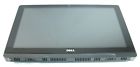
( Brand: Dell ), ( Manufacturer Part Number: 427XC ), ( Part Type: Glass ), ( Screen Size: 20 ), ( Resolution: 1600x900 ), ( Compatible Brand: For Dell ), ( Compatible Product Line: Optiplex ), ( Compatible Model: Optiplex 3011 All-in-one )
Review DELL Optiplex Touchscreen Digitizer Glass
The Dell OptiPlex 427xc Touchscreen Digitizer Glass is a high-quality replacement component designed specifically for the Dell OptiPlex 3011 all-in-one desktop computer. This 20-inch touchscreen digitizer glass is an essential upgrade for users who rely on touch-enabled applications or want to enhance their computing experience.
The Dell OptiPlex 427xc Touchscreen Digitizer Glass features a 1600 x 900 resolution, providing crisp and vibrant visuals that make images, videos, and text appear sharp and detailed. The touchscreen is highly responsive, allowing users to navigate their desktop, click on icons, and scroll through web pages with ease. The digitizer glass is also compatible with multi-touch gestures, enabling users to zoom in and out, rotate images, and switch between applications with a simple swipe or pinch.
The Dell OptiPlex 427xc Touchscreen Digitizer Glass is made of high-quality materials that ensure durability and longevity. It features an anti-glare coating that reduces reflections and glare, making it easier to use the touchscreen in various lighting conditions. The glass is also scratch-resistant, protecting it from accidents and everyday use.
Installing the Dell OptiPlex 427xc Touchscreen Digitizer Glass is a straightforward process, and Dell provides detailed installation instructions and videos to guide users through the process. The replacement glass comes with all necessary hardware, including a bezel, cable, and mounting screws.
In conclusion, the Dell OptiPlex 427xc Touchscreen Digitizer Glass is an excellent replacement component for the Dell OptiPlex 3011 all-in-one desktop computer. Its high-resolution display, responsive touchscreen, and durable construction make it an ideal upgrade for users who want to enhance their computing experience with touch-enabled applications.
Pros of buying a 427xc Dell OptiPlex 3011 20 Touchscreen Digitizer Glass:1. Energy-efficient: The OptiPlex 3011 is known for its energy efficiency, which can help reduce electricity costs in the long run.
2. Reliability: Dell is a reputable brand known for its reliable products, which can provide you with a stable and long-lasting computing experience.
3. Upgradability: The OptiPlex 3011 is easily upgradable, allowing you to customize the system to meet your specific needs.
4. Touchscreen Capability: The touchscreen feature can improve user experience, making it more interactive and intuitive.
5. Cost-effective: The 427xc model is often more affordable compared to newer models, making it a cost-effective option.
Cons of buying a 427xc Dell OptiPlex 3011 20 Touchscreen Digitizer Glass:1. Outdated Technology: The OptiPlex 3011 is an older model, which means it may not support the latest software and hardware.
2. Limited Ports: Older models often have fewer ports, which might limit your connectivity options.
3. Limited Performance: The 427xc model may not deliver the same performance as newer models, especially when it comes to processing power and graphics.
4. Potential Compatibility Issues: Older models might not be compatible with some newer peripherals or software.
Conclusion:The 427xc Dell OptiPlex 3011 20 Touchscreen Digitizer Glass can be a good option if you need an energy-efficient, reliable, and cost-effective computer for basic tasks. However, if you need a system for more demanding applications or need to keep up with the latest technology, you might want to consider newer models. If you decide to go with the OptiPlex 3011, make sure to research any potential compatibility issues and consider investing in upgrades to ensure the system can meet your needs.
Recommendation:If you're looking for an affordable, energy-efficient, and reliable computer for basic tasks, the 427xc Dell OptiPlex 3011 20 Touchscreen Digitizer Glass could be a good choice. However, it's important to thoroughly research any potential compatibility issues and consider investing in upgrades to ensure the system can meet your needs. If performance and the latest technology are more important to you, you might want to consider a newer model.
Details:
The part number is first 5 alpha-numeric characters immediately following CNN-0xx-xx-x-x.
Please message if there are any questions, and include the service tag of your system.
Lodestar tech512 new Dell 427XC optiplex 3011 all-in-one 20 touchscreen w digitizer glass part number: touch condition: pull removed from fully tested production surplus system please verify compatibility prior to purchase includes: chime influx m200fge-l20 rev:c3 1600x900 Taft LCD panel display trim bezel 9n6nx speaker assembly power switch n9dm9 cable left right WiFi antenna cables serial port webcam mt9c20103au01 controller board mtg 1 inverter dv5fv back cover there are multiple numbers for replacement parts, even the same depending on original configuration and options correct number can be found embedded in bar code.
All systems pass Dell diagnostics. This fee is to cover return shipping costs, re-testing of item and supplies. Guaranteed to be fully functional. Offers by lodestar tech512 here to view our ongoing on offer wizard the complete management software solution.
part #: 427xc price
- $22.49
specifications laptoscreelc:
- brand: Dell
- mpn: 427xc
- part type: Glass
- screen size: 20
- resolution: 1600x900
- compatible brand: For Dell
- compatible product line: Optiplex
- compatible model: Optiplex 3011 All-in-one
Returns laptoscreelc:
- time: 30 Days
- paid by: Seller
- policy: returns accepted
- type: Money back or replacement buyers choice
- details: Restocking fee: 10%
Shipping laptoscreelc:
- handling: 1 days
- type: Calculated
Offer laptoscreelc:
- Sold: 0
- quantity: 2
- bids: 0
- best offer: false
- Started: June 6, 2017, 1:16 pm
General laptoscreelc:
- in stock: Yes
- computers > tablet'snetworking > computer componentsparts > laptop replacement parts computers > laptop screenslcd panels laptop replacement parts
- condition: New other see details
Payments laptoscreelc:
- PayPal
Ratings:
- Perfect! As described!! Thanks 06-06-17
- No issues! HDD Testing and SMART checked out 100% 06-05-17
- Got it! 06-05-17
- good seller fast shipping 06-06-17
- Super Fast Shipping A !!! 06-05-17
Seller laptoscreelc:
- zipcode: 78642
- city: Liberty Hill, Texas
Dell 427XC Is Similar To:
- 0015j5 Dell Genuine Inspiron Lcd Touchscreen Tp (26.7% similar) Screen is in good condition. Item is used. Look at pictures for details. Pulled from a working unit. Genuine Dell inspiring item has been fully tested, inspected and is in good working condition. 6 LCD touchscreen LP156WHB Twp a2 015J5 0015J5...(December 3rd, 2018)
- 00h0nx Cn-00h0nx Dell Used Inspiron Lcd Touch Screen With Cracked Digitizer (25.2% similar) The digitizer is cracked. The LCD and chirpiest, cables are working fine...(August 31st, 2018)
- 00yywp Dell New Alienware 15 R2 (47.5% similar) They may, or may not, be in original oem packaging, and have zero, very minor flaws. In every way, these parts will function fully and completely. Notice: pictures shown are simply for reference. These parts will have use marks including scratches and or rub. They may, or may not, be in original oem...(February 13th, 2017)
- 02d73t Dell New Latitude E7450 (58.6% similar) These parts will have use marks including scratches and or rub. They may, or may not, be in original oem packaging, and have zero, very minor flaws. Via aim chat here: Skype upper. They may, or may not, be in original oem packaging, and have never been used installed. Notice: pictures shown are ...(March 22nd, 2017)
- 02dhx6 Nv156fhm-a11 Dell Lot 30 New Inspiron (38.9% similar) This item is a lot of 30 pieces. Notice: pictures shown are simply for reference. They may, or may not, be in original oem packaging, and have never been used installed. In every way, these parts will function fully and completely. These parts will have use marks including scratches and or rub. 6LCD...(January 2nd, 2017)
- 037ccp Nfgth Dell Lot 15 New Inspiron (43.1% similar) This item is a lot of 15 pieces. Notice: pictures shown are simply for reference. 6COLOR: salvaged manufacturer: LCD resolution: Fahd 1920 x 1080LCD model number: webcam included: select finish: glossy touchscreen: YES3D capable: NO30 day money back guarantee warranty: all parts are tested and ...(March 3rd, 2017)
- 0480yp Cn-0480yp 338rt Dell Genuine Venue Wxga Touchscreen Tablet Lcd Led 614486674275 (22.8% similar) Gets you noticed. Genuine Dell venue GSX touchscreen tablet LCD led screen 480YP 338RT brand: part number: mpn: 0480YP, CN-0480YP,: type: assembly size: 8 max...(July 2nd, 2018)
- 05r4y6 Cn-05r4y6 Dell Oem Inspiron Wxga Hd Touchscreen Lcd Screen 717580637631 (22.6% similar) 6 GSX HD touchscreen LCD screen 5R4Y6 brand: Dell part number: mpn: 05R4Y6, CN-05R4Y6 type: assembly size: 15. Images to oem Dell inspiring 15...(January 30th, 2019)
- 05rr29 Cn-05rr29 Dell For Latitude Fhd Touchscreen Lcd Screen Display 614486680153 (27.3% similar) For Dell latitude E7450 14 Fahd touchscreen LCD screen display 8MNKF assembly brand: part number: 5RR29 mpn: 05RR29, CN-05RR29,: type: size: max...(July 17th, 2018)
- 06h0nn Dell New Precision M3800 (47.5% similar) Via aim chat here: Skype upper. In every way, these parts will function fully and completely. They may, or may not, be in original oem packaging, and have zero, very minor flaws. These parts will have use marks including scratches and or rub. 6COLOR: salvaged manufacturer: LCD resolution: HUD 3840 ...(March 12th, 2017)
- 074xjt N98cy Dell Lot 20 New Xps (46.7% similar) These parts will have use marks including scratches and or rub. This item is a lot of 20 pieces. They may, or may not, be in original oem packaging, and have never been used installed. In every way, these parts will function fully and completely. Notice: pictures shown are simply for reference. Via ...(March 3rd, 2017)
