LENOVO 5D10V81589 Chromebook Lcd Touchscreen Digitizer C340-11
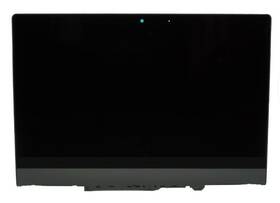
( Brand: Lenovo ), ( Manufacturer Part Number: 5D10V81589 ), ( Part Type: Lcd )
Review LENOVO Chromebook Lcd Touchscreen Digitizer Assembly
The **Lenovo Chromebook C340-11 (Model: 5D10V81589)** is a sleek, modern hybrid device designed to seamlessly blend the functionality of a traditional laptop with the versatility of a touchscreen tablet, making it an ideal choice for students, professionals, and casual users alike. Engineered with a **11.6-inch Full HD (1920 x 1080) IPS LCD touchscreen display**, this Chromebook delivers vibrant, crisp visuals with wide viewing angles, ensuring clarity whether you're browsing the web, streaming multimedia, or working on creative projects. The **multi-touch digitizer** enhances interactivity, allowing for intuitive gestures like pinching, swiping, and drawing perfect for note-taking, sketching, or navigating apps with ease. The display s IPS technology ensures consistent color accuracy and reduced eye strain during extended use, while the anti-glare coating minimizes reflections, providing a comfortable viewing experience in various lighting conditions.
Under the hood, the Chromebook C340-11 is powered by an **efficient and reliable Intel Celeron N4020 quad-core processor**, paired with up to **4GB of DDR4 RAM** (depending on the configuration) to handle everyday tasks with smooth performance, from multitasking between Chrome tabs to running lightweight productivity apps. The **64GB eMMC storage** offers ample space for essential files, documents, and apps, though it may require occasional cloud storage or external drives for larger media or software. Running on **ChromeOS**, this device leverages the power of the cloud, providing seamless integration with Google Workspace, quick app updates, and robust security features like built-in virus protection and automatic software updates. The operating system s simplicity and speed make it ideal for users who prioritize efficiency and ease of use without the complexity of traditional operating systems.
For connectivity, the Chromebook C340-11 is equipped with **Wi-Fi 5 (802.11ac)** for fast and stable internet access, along with **Bluetooth 4.2** for pairing peripherals like keyboards, mice, or wireless headphones. The device features a **microSD card reader** (up to 128GB), expanding storage options for photos, videos, or documents, while the **dual-band antenna** ensures reliable connectivity in most environments. Portability is a key highlight, with the Chromebook weighing just **under 2.5 pounds (1.1 kg)**, making it easy to carry in a backpack or briefcase. The **thin, magnesium-alloy chassis** not only contributes to its lightweight design but also adds durability, while the **single USB-C port** (with USB 3.1 Gen 1 support) allows for charging and data transfer, though users may need an adapter for older peripherals.
The **11.6-inch display** is complemented by a **full keyboard with a numeric keypad**, providing a comfortable typing experience for extended use, while the **HD webcam with a privacy shutter** ensures discreet video calls when needed. The **dual speakers** deliver clear audio for calls, media playback, and presentations, though they may not be as powerful as dedicated sound systems. Battery life is a standout feature, with the **3-cell lithium-polymer battery** offering up to **10 hours of web browsing or video playback** on a single charge, depending on usage patterns ideal for students or professionals on the go. The Chromebook also supports **Lenovo s Vantage software**, which includes tools for performance optimization, system diagnostics, and firmware updates, ensuring the device remains efficient over time.
Overall, the **Lenovo Chromebook C340-11 (5D10V81589)** is a well-rounded, budget-friendly device that excels in versatility, portability, and ease of use. Whether you're a student looking for a lightweight tool for schoolwork, a professional needing a simple yet capable workstation, or a casual user seeking a touch-friendly entertainment device, this Chromebook delivers a balanced combination of performance, functionality, and affordability. Its touchscreen and digitizer capabilities make it a standout choice for users who value interactivity, while its ChromeOS foundation ensures a secure, streamlined experience without the bloatware found on some other devices. With thoughtful design and practical features, the C340-11 is a reliable companion for modern digital lifestyles.
**Pros and Cons of buying a Lenovo 5D10V81589 Chromebook (C340-11 LCD Touchscreen with Digitizer)**
### **Pros:**1. **Touchscreen and Digitizer Integration** The inclusion of a digitizer (active pen support) makes this Chromebook suitable for note-taking, drawing, or digital annotation, which is rare in budget-friendly devices. This feature is particularly useful for students, artists, or professionals who need lightweight input beyond a standard trackpad.
2. **Good Display Quality** The 11.6-inch LCD touchscreen provides decent color accuracy and clarity for general use, web browsing, and media consumption. While not a premium IPS panel, it is sharp enough for everyday tasks.
3. **Portability** The Chromebook is lightweight and slim, making it easy to carry around for school, work, or travel. Its compact size fits well in a backpack without adding significant bulk.
4. **ChromeOS Efficiency** ChromeOS is fast, secure, and optimized for web-based applications. It boots up quickly, updates smoothly, and runs efficiently on modest hardware, making it ideal for users who rely on Google Workspace, cloud storage, and web apps.
5. **Affordability** As a budget Chromebook, it offers a reasonable price point for basic computing needs, including touch functionality and pen support, which are often absent in cheaper models.
6. **Durability** Lenovo Chromebooks are generally built to withstand daily wear and tear, which is beneficial for students or users who may subject the device to rough handling.
7. **Compatibility with Google Services** Seamless integration with Google Drive, Docs, Sheets, and other Google Workspace tools makes collaboration and file management straightforward.
8. **Long Battery Life** Chromebooks typically offer extended battery life, and this model should easily last a full day of moderate use, which is ideal for users who need mobility without frequent charging.
---
### **Cons:**1. **Limited Hardware Specifications** The Chromebook likely features modest internal components (e.g., an Intel Celeron or Pentium processor, low RAM, and slow storage). This can lead to sluggish performance when running multiple Chrome tabs or resource-intensive apps. Heavy multitasking or offline applications may feel restricted.
2. **No Upgradable Components** Most Chromebooks, including this model, have non-upgradable RAM and storage. If performance becomes an issue over time, users will need to replace the entire device rather than upgrading individual parts.
3. **Storage Constraints** The internal storage is likely small (e.g., 32GB or 64GB), which may fill up quickly with apps, files, and offline content. Users may need to rely heavily on cloud storage or an external drive.
4. **No Full-Featured Pen Experience** While the digitizer supports basic pen input, it may lack advanced features such as pressure sensitivity, tilt detection, or smooth scrolling that are found in premium tablets or stylus-equipped devices. This limits its usefulness for professional artists or designers.
5. **Limited Offline Functionality** ChromeOS is primarily designed for online use. Offline apps are limited, and complex tasks (e.g., video editing, CAD work) are not feasible without additional software or a virtual machine, which can drain resources.
6. **No Traditional Ports** The Chromebook likely relies on USB-C (or USB-C with optional adapters) for connectivity. This means users may need to purchase additional adapters for HDMI, Ethernet, or other peripherals, which can be inconvenient.
7. **Screen Size May Be Too Small for Some Users** At 11.6 inches, the display might feel cramped for extended use, especially for tasks requiring multiple windows or detailed work. Larger screens offer more screen real estate for productivity.
8. **Resale Value** Chromebooks generally depreciate quickly, and this model may not hold significant resale value compared to more premium laptops or tablets.
9. **Dependence on Google Ecosystem** Users who rely on non-Google services (e.g., Microsoft Office, Adobe Creative Suite) may find ChromeOS limiting, as these tools often require additional setup or virtualization.
10. **Build Quality Variability** While Lenovo Chromebooks are generally durable, some models have been criticized for plastic construction or thin keyboards, which may not feel as premium as metal or aluminum alternatives.
---
### **Conclusion:**The Lenovo 5D10V81589 Chromebook (C340-11) is a practical choice for users who prioritize affordability, portability, and touchscreen functionality with pen support. It excels in scenarios where basic computing, web browsing, note-taking, or light digital annotation are the primary needs. The inclusion of a digitizer sets it apart from standard Chromebooks, making it a niche but useful device for students, educators, or professionals who need lightweight input tools.
However, its limitations in hardware performance, storage capacity, and offline capabilities mean it is not suited for power users, content creators, or those requiring heavy multitasking. If the user s needs align closely with ChromeOS s strengths such as cloud-based productivity, security, and simplicity this Chromebook offers a solid entry-level option. For users who anticipate more demanding tasks or require a longer lifespan, investing in a slightly more expensive model with better specs or a hybrid tablet/laptop might be worth considering.
---
### **Recommendation:** **Buy this Chromebook if:**- You need a budget-friendly, portable device primarily for web browsing, email, document editing, and light note-taking.
- The touchscreen and digitizer (pen support) are essential for your workflow, such as digital annotation, simple drawing, or classroom use.
- You are comfortable with ChromeOS and rely on Google Workspace or cloud-based applications.
- You prioritize security, long battery life, and minimal maintenance over raw performance.
**Avoid this Chromebook if:**- You require heavy multitasking, offline applications, or resource-intensive tasks (e.g., video editing, programming, or gaming).
- You need a large screen or high-resolution display for extended use.
- You anticipate upgrading the device in the near future, as the hardware is not upgradable.
- You rely on non-Google software or require traditional ports (e.g., HDMI, SD card reader) without adapters.
**Alternative Considerations:**- For better performance, consider a slightly more expensive Chromebook with an Intel Core processor or more RAM.
- If pen support is critical and you can afford a premium device, explore tablets with full stylus functionality (e.g., Microsoft Surface Go, Samsung Galaxy Tab S).
- For a balance between portability and power, a budget Windows or macOS laptop might be worth the investment if offline capabilities are a priority.
Details:
No accessories, cables, manuals, etc included, unless stated otherwise in the listings. Listing is for the item only. New: 100%-90%. FOR LAPTOP BATTERY LISTINGS: Battery Conditions: All batteries are pulled from tested systems.
Item may show signs from previous installation. Each condition has a range of battery health percentages. FOR PART / COMPONENT LISTINGS: Part Conditions: All parts are pulled from tested working units New units, Open Box or Used units, unless stated otherwise in the listing.: Brand Lenovo, MPN 5D10V81589, Condition Used.
Lenovo Chromebook C340-11 LCD Touchscreen Digitizer Assembly 5D10V81589, B116XAK01.4 Assembly.
part #: 5d10v81589 prices
- $18.60-$79.99
specifications laptoscreelc:
- brand: Lenovo
- mpn: 5d10v81589
- part type: Lcd
offer laptoscreelc:
- availability: In Stock
- options: Ship-to-home
- sold: 0
- started: April 1, 2026
- quantity: 1
returns laptoscreelc:
- policy: Returns Accepted
- method: Money back
- paid by: Seller
- time: 30 Days
seller laptoscreelc:
- city: Macedonia, Ohio
- rating: 99.3%
- # reviews: 167203
payments laptoscreelc:
- other
- wallet: Paypal
- credit card: Mastercard
general laptoscreelc:
- Computer Components Parts > Laptop Replacement Parts > Laptop Screens LCD Panels
- condition: Used
shipping laptoscreelc:
- type: Fixed
- cost: $0.00
- transit: 3-8 Days
- class: Standard, Expedited, One-day
- carrier: FedEx
- service: Standard, FedEx Express Saver, FedEx Standard Overnight
Lenovo 5D10V81589 Is Similar To:
- 00hm076 Lenovo Lcd Touch (33.7% similar) 00HM076 - Lenovo 14. Shipping orders are normally processed promptly within hours. However, under certain circumstances, there may be some delay. Need it fast. For details. Picture is for reference only. Product has been tested and pulled from working systems. Free shipping is for lower 48 ...(March 1st, 2019)
- 00hm806 Lenovo Lcd Display Thinkpad Tablet Helix (26.9% similar) I ordered for cracked lcd replacement but don't need it BC just a new laptop happy buying...(October 18th, 2018)
- 00hn541 Lenovo Thinkpad Lcd Screen Front Bezel (41% similar) The customer is urged to certify that parts ordered are correct one needed...(October 16th, 2018)
- 00hn684 Lenovo Thinkpad Edp Lcd Cable For Touch Models Fru (35.7% similar) Lenovo think pad 00HN684 cable EDP for touch new genuine T450S 2 lcd model's Frau: compatible: touch pad condition: brand...(June 10th, 2018)
- 00hn825 Lg New Lenovo Thinkpad Led Lcd Screen Fhd Ips Ag (36.2% similar) Same-day shipping:same day shipping is available by special request only, on a case-by-case basis. Includes original bag, film cover is still in place. If for any reason an order is shipped to such address, the will have warranty voided - no of type be honored. Customer provided postage us. Its made...(April 16th, 2019)
- 00hn827 Lenovo Lcd Panel 14 (28.6% similar) However under certain circumstances there may be some delay and we request your patience. Lcd panel 14 HD x multi-touch glossy Bacall: Lenovo 00HN827...(June 21st, 2017)
- X1 20a7 Version 00hn829 Carbon Panel 20a8 Ibm Lenovo Touch Type Lcd 2 (20% similar) Application laptop model number LP140QH1 Sp a2 screen size 14 compatible brand Lenovo widescreen yes interface type led products status stock resolution response time 2MS brightness 250CD m display ratio contrast ratio panel type Taft...(May 30th, 2015)
- 00hn835 04y1558 04w1596 04w3555 Lenovo Oem Lcd Screen (29% similar) Condition: used whats included: oem Lenovo X121E X130E X131E X140E11...(April 13th, 2018)
- 00hn842 Lenovo Lcd 14 Wqhd (24.7% similar) Lenovo think pad x1 carbon gen 2 HD touch screen bezel HN829 LP140QH1THIS lcd has one tiny very small scratch on the plastic sold at discount front can be peel away and remove in you ever need to return this part for any reason,be sure not tamper proof warranty sticker other tag that contains serial...(June 27th, 2017)
- 00hn843 Lenovo Ibm Touch Lcd For Thinkpad Yoga (29.1% similar) This is an original oem product. Condition: this item has passed our rigorous quality control guidelines that are set by the original equipment manufacturer. Qty 27 available, call for discount index computer re-marketing inc. Oem our in house technicians have been trained and certified on the ...(July 24th, 2018)
- 00ht600 Lenovo Yoga Chromebook Lcd Screen Led (51.7% similar) Lenovo yoga 11E chromebook 20GF lcd screen led 00HT600...(March 7th, 2018)
