DELL G108510 Xps Touch Digitizer Lcd 9315 2-IN-1 45HJJ NE130A1M-N6X 0CMXFW 2880X1920
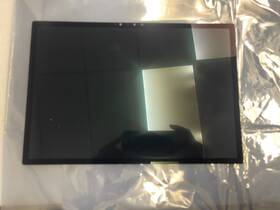
( Brand: Dell ), ( Manufacturer Part Number: G108510 ), ( Compatible Brand: For Generic ), ( Dead Pixel Policy: Contains 1 To 5 Dead Pixel S . 50 Restocking Fee. ), ( Screen Size: 13 In ), ( Display Technology: Led Lcd ), ( Color: Clear ), ( Compatible Model: For G108510 ), ( Max. Resolution: 2880 X 1920 ), ( Compatible Product Line: For Dell Xps ), ( Type: Display Related Product ), ( If Your Existing Screen Is Dim/dark/white: Dont Purchase. 50 Restocking Fee. ), ( Commodity: Touch Screen Assembly-no Bezel ), ( Technology: Detachable, Ips 3k, Touch ), ( Smart Pen Compatibility: No ), ( Lamp: Diode ), ( Finish: Transparent ), ( Connector Side: Bottom Right ), ( Country Of Origin: China )
Review DELL Xps 2-in-1 Touch Digitizer Lcd 2880x1920
The Dell XPS 13 9315 2-in-1 (model number G108510) is a sleek, ultra-portable hybrid laptop that seamlessly blends the functionality of a premium notebook with the versatility of a tablet, all while maintaining an elegant, minimalist design. Engineered with Dell s signature precision, this 13.3-inch convertible features a stunning **45HJJ 2880x1920 (QHD ) InfinityEdge touchscreen display**, delivering an immersive viewing experience with razor-thin bezels that maximize screen real estate. The QHD resolution equivalent to 32:9 aspect ratio offers crisp, vibrant visuals with a native resolution of 2880 by 1920 pixels, ideal for productivity, media consumption, or creative work, while the **10-point multi-touch digitizer** enables intuitive gestures, making it perfect for note-taking, drawing, or navigating apps with ease. Whether flipped into tablet mode for handwritten annotations or locked into laptop mode for efficient typing, the display remains a standout feature, combining sharp clarity with a wide color gamut for accurate color reproduction.
Beyond its display, the XPS 13 9315 excels in portability without compromising performance, thanks to its **aluminum-magnesium alloy chassis**, which is both lightweight and durable, weighing just under 3 pounds (1.35 kg) while feeling remarkably sturdy. The **360-degree hinge system** allows for multiple usage modes tent, stand, tablet, or traditional laptop making it adaptable for work, study, or entertainment. Under the hood, this model is powered by an **Intel Core i5 or i7 processor** (depending on configuration), paired with **8GB or 16GB of DDR4 RAM** and **256GB or 512GB of NVMe SSD storage**, ensuring snappy multitasking and ample space for applications, documents, and media. The inclusion of **Intel Iris Xe graphics** further enhances its capabilities, making it suitable for light graphic design, video editing, or gaming on the go.
Connectivity and expandability are thoughtfully integrated, with **two Thunderbolt 4 (USB-C) ports** supporting fast data transfer, external displays, and charging, as well as **Wi-Fi 6 and Bluetooth 5.0** for seamless wireless connectivity. The **fingerprint reader** adds an extra layer of security for quick authentication, while the **backlit keyboard** features Dell s signature **chiclet keys** with a comfortable travel distance, providing a responsive typing experience even in low-light conditions. The **1080p HD webcam** with dual microphones ensures clear video calls, whether for work meetings or virtual catch-ups, while the **stereo speakers** deliver surprisingly rich audio for an ultrabook, complete with **Dell Audio Premium** tuning for balanced sound.
For those who prioritize sustainability, the XPS 13 9315 is built with **recycled and recyclable materials**, including a **post-consumer recycled aluminum frame**, aligning with Dell s commitment to environmental responsibility. The device also supports **Windows 10/11 Pro** out of the box, offering advanced security features, virtualization, and enterprise-grade tools for professionals. Whether used for business, education, or personal use, this 2-in-1 laptop strikes an ideal balance between power, portability, and premium build quality, making it a compelling choice for anyone seeking a versatile, high-performance device that can keep up with modern demands.
### **Pros and Cons of the Dell XPS 13 9315 (2-in-1, 4K Touch, 2020 Model)**
#### **Pros:**1. **Premium Build Quality** The XPS 13 is renowned for its durable, high-quality aluminum chassis with a sleek, professional design. The hinges are sturdy, and the overall construction feels premium.
2. **Excellent Display** The 13.4-inch 4K (3840x2160) InfinityEdge touchscreen provides sharp visuals with vibrant colors and deep blacks. The touch functionality is smooth and responsive, making it ideal for note-taking, drawing, or casual touch interactions.
3. **Powerful Performance (for a 13-inch Ultrabook)** The base model typically comes with an **Intel Core i5-1035G1** (upgradable to i7) paired with **8GB of RAM** and **256GB SSD**. This setup handles everyday tasks, light multitasking, and even some productivity software smoothly. The **Intel UHD Graphics** are adequate for basic content creation or streaming.
4. **Long Battery Life** The XPS 13 is known for its efficiency, often lasting **8-12 hours** on a single charge under normal use. The 4K display does consume more power, but it still outperforms many competitors in battery endurance.
5. **Portable & Lightweight** Weighing around **2.8 lbs (1.29 kg)**, it remains one of the lightest 4K ultrabooks, making it highly portable for travel or daily use.
6. **Thunderbolt 3 (USB-C) Ports** Two **Thunderbolt 3 (USB-C) ports** support fast data transfer, external displays, and charging. While there s no traditional HDMI or USB-A, adapters are readily available.
7. **Backlit Keyboard & Trackpad** The keyboard is comfortable for extended typing, with a good travel distance and responsive keys. The trackpad is large and precise, supporting Windows Precision gestures.
8. **Good Audio & Webcam** The **2x2 stereo speakers** (with Waves MaxxAudio Pro) deliver surprisingly good sound for a laptop of this size. The **720p HD webcam** is decent for video calls, though not as high-end as some competitors.
9. **Windows 10/11 Out of the Box** Dell typically ships with the latest Windows version, ensuring compatibility with modern software.
10. **Strong After-Sales Support** Dell offers reliable warranty and customer service, with easy access to replacement parts if needed.
---
#### **Cons:**1. **Limited Port Selection** Only **two Thunderbolt 3 (USB-C) ports**, meaning you ll need adapters for HDMI, USB-A, or Ethernet. This can be inconvenient for users who rely on multiple peripherals.
2. **No SD Card Reader** Unlike some business or creator-focused laptops, the XPS 13 lacks an SD card slot, which can be a drawback for photographers or professionals handling physical media.
3. **4K Display Drains Battery Faster** While still impressive, the 4K resolution reduces battery life compared to a 1080p or 2K display. Expect **6-8 hours** of real-world use rather than the advertised 12 hours.
4. **No Dedicated GPU Option** The base model comes with **Intel UHD Graphics**, which are fine for casual use but struggle with **3D rendering, gaming, or professional video editing**. There is no option for an NVIDIA GPU in this model.
5. **Touchscreen Can Be Overkill for Some** While the touchscreen is smooth, many users prefer a traditional trackpad for productivity. If you don t need touch functionality, you might find it unnecessary.
6. **Price** The XPS 13 is **not cheap**, especially in the 4K touch configuration. Prices can range from **$1,000 to $1,500 **, depending on upgrades. This makes it a premium choice compared to non-touch or lower-resolution models.
7. **Fan Noise Under Load** While the XPS 13 is quiet during light use, it can get noticeably louder under heavy workloads (e.g., compiling code, running VMs, or stress tests).
8. **No Full-Size HDMI Port** While Thunderbolt 3 can drive external monitors, the lack of a dedicated HDMI port means you ll need an adapter for older displays.
9. **Limited Upgrade Path** Most components (RAM, storage) are **soldered**, meaning you cannot upgrade them after purchase.
10. **Smaller Storage Options** The base model comes with **256GB SSD**, which may be tight for users who store large files, videos, or multiple applications. Upgrading to **512GB or 1TB** increases the price significantly.
---
### **Conclusion & Recommendation**
The **Dell XPS 13 9315 (4K Touch, 2-in-1)** is an **excellent choice** for users who prioritize **portability, display quality, and premium build** without needing heavy-duty performance. It excels in **productivity, note-taking, media consumption, and light content creation**, making it ideal for **students, professionals, and creatives** who value a high-end laptop experience in a compact form factor.
However, if you **require a dedicated GPU, multiple ports, or heavy multitasking**, this model may fall short. Additionally, the **high price and lack of upgradeability** could be dealbreakers for budget-conscious buyers.
#### **Who Should Buy It?**
**Students & Professionals** Great for note-taking, web browsing, office work, and light media editing.
**Content Creators (Light Use)** Suitable for photo editing (with some limitations), video watching, and casual design work.
**Travelers & On-the-Go Users** The lightweight design and long battery life make it perfect for frequent users.
**Touch Enthusiasts** If you enjoy touchscreen functionality for apps like Microsoft OneNote, Adobe Fresco, or digital sketching.
#### **Who Should Avoid It?**
**Gamers or 3D Professionals** No dedicated GPU means poor performance in demanding applications.
**Users Needing Many Ports** The lack of HDMI, USB-A, and SD card reader can be frustrating.
**Budget-Conscious Buyers** The price is high for what is essentially a **high-end ultrabook** rather than a workstation.
**Heavy Multitaskers** 8GB RAM is sufficient but may feel limiting with too many applications open.
#### **Final Verdict:**If you **value a stunning 4K touch display, premium build, and portability** over raw power and multiple ports, the **Dell XPS 13 9315 is an outstanding choice**. However, if you need **better performance, more storage, or additional connectivity**, consider alternatives like the **MacBook Pro (M1/M2), Lenovo ThinkPad X1, or HP Spectre x360**.
For most users, **this is one of the best ultrabooks available**, but it s not a one-size-fits-all solution. **Buy it if you want the best-in-class XPS experience; otherwise, look for alternatives based on your specific needs.**
Details:
This display is a display-related product that includes detachable touch screen assembly, making it versatile for various computing needs. Made in China, it has a bottom-right connector side and is compatible with range of Dell XPS model's. The Dell XPS 13 9315 2-in-1 Touch Digitizer LCD is a high-quality 13-inch LED display with maximum resolution of 2880 x 1920. It is designed for use with Dell XPS laptops, featuring a clear color and transparent finish.
part #: g108510 prices
- $179.89-$408.00
specifications laptoscreelc:
- brand: Dell
- mpn: G108510
- compatible brand: For Generic
- dead pixel policy: Contains 1 To 5 Dead Pixel S . 50 Restocking Fee.
- screen size: 13 In
- display technology: Led Lcd
- color: Clear
- compatible model: For G108510
- max. resolution: 2880 X 1920
- compatible product line: For Dell Xps
- type: Display Related Product
- if your existing screen is dim/dark/white: Dont Purchase. 50 Restocking Fee.
- commodity: Touch Screen Assembly-no Bezel
- technology: Detachable, Ips 3k, Touch
- smart pen compatibility: No
- lamp: Diode
- finish: Transparent
- connector side: Bottom Right
- country of origin: China
payments laptoscreelc:
- wallet: Paypal
- credit card: Visa
- other
general laptoscreelc:
- condition: Used
- Computer Components Parts > Laptop Replacement Parts > Laptop Screens LCD Panels
shipping laptoscreelc:
- carrier: USPS
- transit: 4-9 Days
- type: Calculated
- service: USPS Ground Advantage
- class: Standard
- cost: $0.00
offer laptoscreelc:
- quantity: 1
- sold: 0
- started: May 30, 2026
- best offers: True
- options: Ship-to-home
- availability: In Stock
seller laptoscreelc:
- city: Houston, Texas
- # reviews: 591
- rating: 98.8%
returns laptoscreelc:
- policy: No Returns
Dell G108510 Is Similar To:
- A114953g315t Generic Dell Replacement Laptop Lcd Screen Wxga Hd 032022016943 (22% similar) 8 laptop lcd screen resolution: GSX HD x 768 type: led diode connector: 40 pins bottom right may contain 3 to 5 dead pixels will work for Dell inspiring 5423, N140BGE-LB2-A2 model's also. 6 anarchistic: 43. lcd screen size: 14. Please match your original screens back light type, size, and ...(May 8th, 2018)
- A986011l327p Generic Laptop Lcd Replacemnet Led For Dell Inspiron (20.9% similar) 25 laptop lcd screen resolution: GSX x 900 type: led diode connector: 40 pins bottom left may contain 3 to 5 dead pixels please match your original screens back light type, size, and resolution before you purchase this item, because some model's come with more than one type of screens. 75 x ...(May 11th, 2018)
- D620-5043-lcd Generic Dell Latitude Replacement Laptop Lcd Screen Wxga 654367710821 (21.1% similar) Dell latitude D620 replacement laptop lcd screen x 8 resolution: GSX 800 type: cc fl single connector: 30 pins may contain 3 to 5 dead pixels please match your original screens back light type, size, and resolution before you purchase this item, because some model's come with more than one type of ...(May 30th, 2018)
- Led-1366-768-g-40-14.0-x11 Generic Dell Latitude Laptop Lcd Screen Replacement Wxga 529306022764 (21.7% similar) 5X8X12 anarchistic: pounds size:' requires technical installation item DIMENSIONS:1. Purchasing a screen with different specifications will not work your system. Dell latitude E6420 LTN140AT16 laptop lcd screen replacement 14...(May 16th, 2018)
- Led-1366-768-g-40-15.6-239 Dell Inspiron Laptop Lcd Screen Replacement Wxga Hd 610395664505 (17.9% similar) 6 item DIMENSIONS:1. You cannot deviate from your current screen specifications. Purchasing a screen with different specifications will not work your system. Product features screen size: 15. Dell inspiring N5110 laptop lcd screen replacement pounds size:'screen size: 15. 5 anarchistic: 05...(March 30th, 2018)
- 0015j5 Dell Genuine Inspiron Lcd Touchscreen Tp (26.9% similar) Screen is in good condition. Item is used. Look at pictures for details. Pulled from a working unit. Genuine Dell inspiring item has been fully tested, inspected and is in good working condition. 6 lcd touchscreen LP156WHB Twp a2 015J5 0015J5...(December 3rd, 2018)
- 0097y Dell Lcd Screen With Bezel (18.5% similar) The customer is urged to certify that parts ordered are correct one needed...(February 15th, 2017)
- 00gtn1 Hb156wx1-100 Dell Genuine Lcd (21.1% similar) Any question please feel free to ask. Its necessary for the end user to check with manufacturer, manual or other web sources insure compatibility. Our are correct to the best of knowledge, but with so many model's and parts its difficult know every compatible incompatible model...(August 26th, 2017)
- 00h0nx Cn-00h0nx Dell Used Inspiron Lcd Touch Screen With Cracked Digitizer (29.6% similar) The digitizer is cracked. The lcd and chirpiest, cables are working fine...(August 31st, 2018)
- 00k19p Dc0200gt00 Dell Latitude Laptop Lcd Flex Cable Led Tested Warranty (21.3% similar) Stock photos. Orders purchased before noon central time are typically packaged and shipped out the same day. Notice: pictures shown are simply for reference...(February 6th, 2019)
- 00mj2p Dell Latitude Lcd Screen Matte Sp (23.6% similar) Pulled from a working unit. Item has been tested and is in good working condition. Item is used and screen in good condition. Dell latitude E7440 lcd screen matte LP140WF1 sp b1 P/N 00MJ2P this listing is for. Look at pictures for more details...(July 21st, 2018)
