INNOLUX N160GME-GQC Lcd Panel Dell Alienware 0T6G36
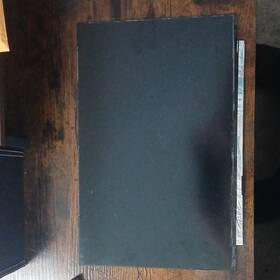
( Brand: Innolux ), ( Manufacturer Part Number: N160GME-GQC ), ( Compatible Brand: For Alienware, For Dell ), ( Type: Lcd Panel ), ( Screen Size: 16 In ), ( Color: Black, Silver ), ( Compatible Model: Alienware M16 R1, Alienware X16, Dell G16 ), ( Compatible Product Line: For G Series, For M Series, Universal )
Review INNOLUX Inch Lcd Panel Black Dell And Alienware
The **Innolux N160GME-GQC (0T6G36) 16-inch LCD Panel** is a high-performance, ultra-compact display designed specifically for the **Dell Alienware** lineup, engineered to deliver an immersive gaming and productivity experience with precision and clarity. This panel features a **16-inch diagonal screen** with a **1600x900 (WXGA) resolution**, offering a balanced display that ensures sharp text and crisp visuals without overwhelming the compact form factor. Its **16:9 aspect ratio** is optimized for both gaming and multimedia consumption, providing ample screen real estate for competitive titles, streaming, and content creation while maintaining a sleek, portable design.
At the heart of this panel lies **Innolux s advanced IPS (In-Plane Switching) technology**, which delivers **178-degree wide viewing angles**, ensuring vibrant colors and consistent contrast whether you're seated directly in front of the display or viewing from an angle. The IPS technology also enhances color accuracy and reduces color shifting, making it ideal for gamers who rely on precise visual feedback and creators who demand fidelity in their work. The panel achieves a **typical brightness of 250 nits**, providing a bright, well-lit display even in well-lit environments, though it may not reach the peak brightness levels of higher-end gaming monitors.
One of the standout features of the **N160GME-GQC** is its **120Hz refresh rate**, a significant upgrade over standard LCD panels, which dramatically reduces motion blur and input lag, making it perfect for fast-paced games like *Call of Duty: Warzone*, *Fortnite*, or *Overwatch 2*. This refresh rate, combined with Dell s **Alienware Aura RGB backlighting**, allows for dynamic lighting effects that sync with in-game action or system events, enhancing immersion without compromising performance. The panel also supports **Dell s Alienware Command Center**, enabling users to fine-tune display settings, adjust color profiles, and optimize the viewing experience for different applications.
The **0T6G36** model incorporates **Innolux s advanced optical film and polarizer layers**, which contribute to a **high contrast ratio (typically 1000:1)**, ensuring deep blacks and bright whites for a more cinematic and engaging display. While it may not match the contrast of OLED panels, it provides a solid alternative for gamers who prioritize brightness and color consistency over absolute black levels. The panel s **matte finish** reduces glare and reflections, making it more comfortable for extended gaming sessions, though it may not be as visually striking as glossy alternatives.
Built to withstand the demands of high-performance computing, the **N160GME-GQC** is designed with **durability and reliability** in mind. It features **Innolux s high-quality glass and robust internal construction**, minimizing the risk of screen damage from drops or impacts a critical consideration for portable Alienware devices like the **Alienware m16 R2** or **Alienware x16**. The panel s **low power consumption** also contributes to longer battery life in laptop configurations, making it an efficient choice for users who need both performance and portability.
For gamers and professionals alike, the **Innolux N160GME-GQC** strikes an excellent balance between **performance, portability, and visual quality**. Whether used in a **Dell Alienware gaming laptop, a compact desktop monitor setup, or an all-in-one workstation**, this panel delivers a **smooth, responsive, and visually engaging** experience that meets the demands of modern computing. Its integration with **Alienware s ecosystem** ensures seamless compatibility with RGB lighting, software controls, and high-performance hardware, making it a compelling choice for enthusiasts who seek both power and precision in their display technology.
The Innolux N160GME-GQC (0T6G36) is a 16-inch LCD panel designed for budget-oriented gaming and general-purpose displays, often used in budget laptops or repurposed into custom builds. Below is a detailed breakdown of its pros and cons, followed by a conclusion and recommendation for use with a Dell Alienware system.
---
**Pros:**1. **Affordability**: This panel is inexpensive compared to high-end gaming or professional-grade displays. It is commonly sourced from eBay, AliExpress, or liquidation lots, making it a cost-effective option for basic use.
2. **Brightness and Color Gamut**: The panel supports a brightness of around 250 nits and covers approximately 72% of the sRGB color space, which is sufficient for general tasks, web browsing, and light gaming. While not ideal for color-critical work, it performs adequately for casual use.
3. **Resolution and Aspect Ratio**: The 1920x1080 (1080p) resolution and 16:9 aspect ratio are standard for most applications, offering a good balance between clarity and screen real estate. This resolution is also compatible with most games and productivity software.
4. **Low Power Consumption**: As a budget panel, it consumes minimal power, which can be beneficial for laptops or builds where energy efficiency is a priority.
5. **Availability**: Due to its widespread use in budget devices, replacement parts and repair resources are relatively easy to find.
6. **Basic Gaming Performance**: While not optimized for high refresh rates or advanced features, it can run older or less demanding games at playable frame rates, especially if paired with a capable GPU.
---
**Cons:**1. **Poor Refresh Rate and Response Time**: The panel typically operates at a fixed 60Hz refresh rate with a slow response time (often around 16ms or higher), which can lead to noticeable motion blur and lag in fast-paced games. This makes it unsuitable for competitive or fast-paced gaming.
2. **Low Contrast Ratio**: The contrast ratio is likely to be low (around 1000:1 or less), resulting in washed-out blacks and poor depth in images or videos. This can detract from the viewing experience in movies or dark-themed games.
3. **Limited Backlight Uniformity**: Many budget panels suffer from uneven backlighting, leading to visible panel lines or dark spots. This can be distracting during extended use.
4. **No Advanced Features**: The panel lacks features such as adaptive sync (FreeSync/G-Sync), high dynamic range (HDR), or high color accuracy (e.g., 90% sRGB or Adobe RGB). These features are critical for modern gaming and content creation.
5. **Build Quality and Durability**: Since this panel is often sourced from older or budget devices, its build quality may not be robust. It may be more prone to damage from drops or prolonged use compared to panels from premium brands.
6. **Compatibility Issues**: While the resolution is standard, the panel may not support advanced display features or optimizations that Alienware systems rely on for performance tuning. This could limit the ability to fully utilize the system's hardware.
7. **Thermal and Electrical Drawbacks**: Budget panels can sometimes generate more heat or draw inconsistent power, which may affect the longevity of the display or surrounding components in a custom build.
8. **Limited Driver Support**: The panel may not have dedicated driver support from the manufacturer, leading to potential compatibility issues with modern operating systems or software updates.
---
**Conclusion:**The Innolux N160GME-GQC (0T6G36) panel is a functional but outdated choice for a Dell Alienware system. It excels in cost-effectiveness and basic usability for tasks like office work, web browsing, or light gaming, but it falls short in nearly every aspect critical to a high-performance gaming experience. The lack of high refresh rates, poor contrast, and absence of advanced features make it unsuitable for serious gamers or those seeking a premium Alienware experience. Additionally, the panel s limitations in compatibility and build quality could lead to frustration over time.
---
**Recommendation:**For a Dell Alienware system, which is designed for high-performance gaming and productivity, it is strongly recommended to avoid the Innolux N160GME-GQC panel. Instead, consider the following alternatives that align better with Alienware s performance standards:
1. **High-Refresh Rate Panels**: Opt for panels with 144Hz, 165Hz, or 240Hz refresh rates, such as those from ASUS (e.g., ROG Strix or PG series), Alienware (e.g., AW2521H or AW3423DW), or other reputable brands like Dell s own UltraSharp or Alienware-specific displays. These panels offer smoother gameplay and better responsiveness.
2. **High-End Gaming Panels**: For a premium experience, prioritize panels with high color accuracy (100% sRGB or DCI-P3), high contrast ratios, and adaptive sync technologies (FreeSync Premium or G-Sync). Examples include the ASUS ROG Swift PG32UQX or Dell s UltraSharp U2723QE.
3. **Alienware-Specific Displays**: If you are building or upgrading an Alienware laptop or desktop, use Alienware-certified displays. These are optimized for the system s hardware and software, ensuring the best performance and compatibility.
4. **Budget Alternatives with Upgrades**: If budget is a concern but you still want better performance, look for mid-range panels with at least 144Hz and good color accuracy, such as the Dell UltraSharp U2415H or ASUS TUF Gaming VG27AQ1A.
Investing in a higher-quality panel will significantly enhance your Alienware experience, providing smoother visuals, better color reproduction, and a more immersive gaming environment. The initial cost of a better panel is often outweighed by the improved usability and longevity of the system.
Details:
240 Hz refresh rate, originally from an Alienware M16 R1 laptop. Original OEM display panel compatible with 16-inch Dell and Alienware laptops, in working condition, slightly used small signs of ware.
part #: n160gme price
- $128.24
specifications laptoscreelc:
- brand: Innolux
- mpn: N160gme-gqc
- compatible brand: For Alienware, For Dell
- type: Lcd Panel
- screen size: 16 In
- color: Black, Silver
- compatible model: Alienware M16 R1, Alienware X16, Dell G16
- compatible product line: For G Series, For M Series, Universal
returns laptoscreelc:
- policy: No Returns
general laptoscreelc:
- Computer Components Parts > Laptop Replacement Parts > Laptop Screens LCD Panels
- condition: Used
shipping laptoscreelc:
- transit: 5-10 Days
- service: USPS Ground Advantage
- type: Calculated
- cost: $8.81
- class: Standard
- carrier: USPS
offer laptoscreelc:
- started: April 8, 2026
- options: Ship-to-home
- best offers: True
- sold: 0
- availability: In Stock
- quantity: 1
payments laptoscreelc:
- wallet: Paypal
- credit card: Discover
- other
seller laptoscreelc:
- city: Bigelow, Arkansas
- # reviews: 0
- rating: 0.0%
Innolux N160GME Is Similar To:
- A111604g865n Generic Innolux Replacement Laptop Lcd Screen Wxga 721762178690 (25% similar) 3 inches Innolux N133BGE-EAA replacement laptop lcd screen 13. 875 x laptop lcd screen resolution: GSX HD 768 type: led diode connector: 30 pins bottom right may contain 3 to 5 dead pixels please match your original screens back light type, size, and resolution before you purchase this item, because...(July 12th, 2018)
- 05fnjx Chimei Dell Innolux N156bge-l11 (26.5% similar) We serve individual residential, corporate, municipal and government agencies. Standard pricing for ad is ups ground. Removal of void if removed label will warranty. Remains family, as well veteran, owned and operated...(September 27th, 2017)
- 0746297932609 Innolux Led Strip For (29.1% similar) Led strip for Innolux BT156GW01, V1AND v4 8YB15603-00 in production - may require 4-6 week lead time and minimum quantity order...(October 31st, 2018)
- 0c00339 Innolux Genuine Lenovo Laptop Lcd Led Screen Grade (30.1% similar) Our highly trained and experienced technicians provide fast dependable service at very reasonable prices. Item:genuine Leno 15. Considered a bundle listing with the harness which is you are looking for lcd compatible model it easily removed just six Philips head screws and camera led think-pad ...(June 12th, 2018)
- 0jh0cn Innolux Genuine Led Lcd Screen (32.1% similar) Screen is in good condition. Look at pictures for details. Led lcd screen N140BGA-EA3 JH0CN 0JH0CN. Pulled from a working unit. Item is fully tested and works great. Genuine Innolux 14. Led lcd screen N140BGA-EA3 JH0CN 0JH0CN this listing is for a genuine Innolux 14. Item is used...(May 5th, 2018)
- 18201666 Innolux Genuine Lcd Display Hd For Lenovo (40% similar) 4/4 a HDTV NB check to see if this part is compatible with your system before purchasing. 4/3 a HDD NB5D10H34067IVO M140NWR4 r2 NB5D10K81642IV M140NWR6-R0 Hts NB5D10K81460LG LP140WHU-TPG1 NB5D10K81457SD LTN140AT39-L01 NB5D10K81083BO NT140WHM-N31 NB5D10K85754IN N140BGA-EB3 NB5D10H91344LG LP140WH8-...(January 11th, 2019)
- 1jj5n N173fge-e23 Innolux New Dell (27.5% similar) For offer: new - dell inspiring lcd screen led 1JJ5N HD removed from a brand N173FGE-E23 c3 not touchscreen model's. Tested before removal. Condition: new condition...(August 26th, 2017)
- 5d10k35945 Innolux Lenovo Ideapad Slim Led Lcd Screen Grade (28.4% similar) No one is ever ignored. Shipping: shipping charges are listed in this offer. All products are marked with serial number and qc badge. We combine shipping for multiple offers buyers. Panel brand: chi Meir Innolux model part number: N156HGE-EBB size: 15...(December 24th, 2018)
- 5fnjx Dell Chimei Innolux 15.6 (19% similar) Hours: 9AM-4PM m-five a call at 1 x 101 or via messages. This is a limited warranty and does not cover performance, appearance or compatibility. Buyer pays return shipping. Dell chime Innolux 15. The picture is of same model, but may or not be actual item. A DOA warranty is simply guaranty that the ...(December 13th, 2017)
- 80aw-0e1-001nl Innolux New Lot Of Lcd Display Panel Screen Monitor Tft (40% similar) Trans missive resolution: 800 x 480 VGA aspect ratio: 16:9 h:v operating temperature: negative 20 to 70 degrees Celsius storage 30 80 Celsius. Contrast ratio: 300: 1 typ. Manufacturer: Innolux part number: AT080TN03 type of display: lcd brightness: 300 cd m2 typ. New lot of 120 Innolux AT080TN03 ...(November 24th, 2018)
- 9r5k4 Dell Chimei Innolux Laptop (22.4% similar) Dell chime Innolux laptop lcd 9R5K4 N140FGE L32 rev c1 13...(February 15th, 2018)
