DELL TXW08 Xps Touchscreen Lcd 9440 14.5
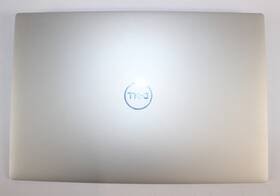
( Brand: Dell ), ( Manufacturer Part Number: TXW08 ), ( Part Type: Lcd ), ( Country Of Origin: China )
Review DELL Xps Inch Touchscreen Lcd Assembly
The Dell XPS 14 (9440) is a refined and powerful ultrabook that seamlessly blends cutting-edge performance with premium design, making it an ideal choice for professionals, creatives, and tech enthusiasts alike. Engineered with Dell s signature precision, this 14.5-inch laptop features a stunning **4K UHD InfinityEdge touchscreen display** with a resolution of 3840 x 2400 pixels, delivering razor-sharp visuals and vibrant colors for immersive productivity, media consumption, and creative work. The ultra-thin bezels enhance the screen-to-body ratio, creating an expansive viewing experience that maximizes both workspace and entertainment. Whether you're editing high-resolution photos, designing graphics, or streaming 4K content, the display s HDR support and wide color gamut ensure rich, lifelike detail with deep blacks and brilliant whites.
Under the hood, the XPS 14 (9440) is powered by the latest **Intel Core i7-13700H or i9-13900H processors**, paired with up to **32GB of DDR5 RAM** and **2TB of PCIe NVMe SSD storage**, delivering blistering speed and responsiveness for multitasking, data-intensive applications, and future-proofing. The inclusion of **Intel Iris Xe graphics** ensures smooth performance for light gaming, video editing, and graphic design tasks, while the optional **NVIDIA GeForce RTX 4050** (with Max-Q design) elevates the experience for more demanding workloads, including 3D rendering and AI-driven applications. The laptop s **Intel Evo platform** certification guarantees optimized battery life, rapid charging, and seamless connectivity, ensuring you stay productive on the go.
Design-wise, the XPS 14 (9440) exudes elegance with its **carbon fiber palm rest and aluminum chassis**, combining durability with a sleek, premium aesthetic. The **thin and lightweight** build (weighing just **2.8 lbs**) makes it incredibly portable, while the **full-size backlit keyboard** offers a comfortable typing experience with Dell s signature quiet, responsive keys. The **fingerprint reader** and **Windows Hello IR camera** provide secure biometric authentication, enhancing both convenience and security. Connectivity is robust, featuring **Thunderbolt 4 (USB-C) ports**, **HDMI 2.1**, **USB-A**, and **Wi-Fi 6E**, ensuring compatibility with a wide range of peripherals and high-speed data transfer. Additionally, the **Dell Mobile Connect** feature allows for seamless docking and extended display support when paired with compatible accessories.
Built for both productivity and entertainment, the XPS 14 (9440) includes **Dell s premium audio system** with **Waves Nx audio processing**, delivering crisp, immersive sound for calls, music, and media. The **stylus support** (via optional Dell Active Pen) further enhances its versatility, making it a great tool for note-taking, sketching, and digital annotation. Whether you're working from a caf , a home office, or on the road, the XPS 14 (9440) offers a harmonious blend of **performance, portability, and premium craftsmanship**, making it a standout choice in the ultrabook category. With its **Windows 11 Pro OS**, **Dell s advanced cooling system**, and **long-lasting battery life**, this laptop is designed to keep up with your demands while maintaining a level of sophistication that sets it apart from the competition.
The Dell XPS 14 (9440) with a 14.5-inch touchscreen LCD (TXW08) is a well-regarded business and productivity laptop, but it has its strengths and weaknesses depending on your needs. Below is a detailed breakdown of its pros and cons, followed by a conclusion and recommendation.
### **Pros:**1. **Premium Build Quality** The XPS 14 is known for its durable, high-quality construction, featuring a carbon fiber chassis, thin bezels, and a sturdy keyboard. The touchscreen model maintains this premium feel without adding excessive weight.
2. **Excellent Display** The 14.5-inch FHD (1920x1080) InfinityEdge touchscreen is sharp, vibrant, and offers good viewing angles. The touch functionality adds versatility for note-taking, drawing, or touch-based productivity apps.
3. **Strong Performance Options** Depending on the configuration, the 9440 can be equipped with Intel Core i5 or i7 processors (up to 11th Gen), up to 32GB of RAM, and an SSD (up to 2TB). This makes it capable of handling multitasking, light content creation, and office work efficiently.
4. **Great Keyboard & Trackpad** The keyboard is one of the best on the market, with a comfortable, responsive layout and excellent key travel. The trackpad is large, smooth, and supports multi-touch gestures, making navigation intuitive.
5. **Port Selection & Connectivity** The model includes Thunderbolt 4 (USB-C with DisplayPort alt-mode), two USB-A ports, an HDMI 2.0 port, and a headphone jack. This provides flexibility for external monitors, peripherals, and accessories.
6. **Long Battery Life** The XPS 14 is known for its battery efficiency, often lasting 8-12 hours on a single charge under typical use. The touchscreen version may have slightly reduced battery life compared to non-touch models, but it remains solid.
7. **Windows 11 Support & Updates** Dell ensures long-term software support, and the XPS 14 is well-optimized for Windows 11, with no major compatibility issues.
8. **Portable Yet Powerful** At around 3.5 lbs (1.6 kg), it s one of the lighter premium 14-inch laptops, making it easy to carry while still offering strong performance.
9. **Good Audio Quality** Dell has improved the speakers over previous generations, delivering clear, balanced sound for a laptop of this size.
10. **Dell s Customer Support & Warranty** Dell offers a standard 1-year warranty (extendable) and reliable customer service, which is reassuring for business users.
---
### **Cons:**1. **Limited Upgradeability** Like most modern laptops, the XPS 14 has soldered RAM and storage, meaning you cannot upgrade these components after purchase. Ensure your configuration meets your long-term needs.
2. **Touchscreen Limitations** While the touchscreen is functional, it s not as precise or responsive as a stylus-equipped tablet. If you need heavy drawing or note-taking, a dedicated stylus (like Dell s Active Pen) would be more useful, but it s not included.
3. **No Dedicated GPU** The XPS 14 relies on integrated graphics (Intel Iris Xe), which limits its capability for gaming, video editing, or 3D work. If you need a dedicated GPU, you ll need to look elsewhere.
4. **Price** The XPS 14 is not cheap, especially in a touchscreen configuration. Pricing can vary based on RAM, storage, and processor choices, but it s generally positioned as a premium device.
5. **Fan Noise Under Load** While the XPS 14 handles thermal management well, sustained heavy workloads (e.g., compiling code, running VMs) can cause noticeable fan noise.
6. **Webcam Quality** The built-in 720p webcam is adequate for video calls but not high-end. If you frequently use it for professional video conferencing, you might want an external webcam.
7. **No SD Card Reader** Unlike some business-oriented laptops, the XPS 14 lacks an SD card slot, which could be inconvenient for photographers or professionals who work with memory cards.
8. **Touchscreen Durability Concerns** While Dell s touchscreens are generally reliable, prolonged use or accidental drops could potentially damage the touch layer over time.
9. **Limited Portability for Some Users** At 14.5 inches, it s larger than ultrabooks like the MacBook Air or Surface Laptop, which may be preferable for ultra-portability.
10. **Software Bloatware** Dell pre-installs some utility software, which can be removed but may require effort to clean up.
---
### **Conclusion:**The Dell XPS 14 (9440) with a touchscreen is an excellent choice for professionals, students, and power users who prioritize build quality, display, keyboard, and productivity features. It excels in office work, note-taking, web browsing, and light content creation. However, it falls short for users who need heavy multitasking with a dedicated GPU, heavy drawing/stylus use, or extreme portability.
If your primary needs align with productivity, touch interaction, and a premium laptop experience, the XPS 14 is a strong recommendation. However, if you require a device for gaming, advanced video editing, or heavy-duty computing, you may need to consider alternatives like the Dell XPS 15, MacBook Pro, or a workstation laptop.
---
### **Recommendation:** **Buy the Dell XPS 14 (9440) with a touchscreen if:**- You need a reliable, high-quality laptop for work, school, or light creative tasks.
- You value a premium build, excellent keyboard, and a good touchscreen for note-taking or touch-based apps.
- You prioritize portability without sacrificing too much performance.
- You re willing to invest in a device that will serve you well for 3-5 years with proper care.
**Consider alternatives if:**- You need a dedicated GPU for gaming, video editing, or 3D work.
- You require a larger screen or more power for heavy multitasking.
- You prefer a more compact or ultraportable design.
- You frequently work with memory cards or need an SD card reader.
For most users seeking a balance of performance, build quality, and touch functionality, the XPS 14 (9440) is a solid and recommended choice. Ensure you configure it with sufficient RAM (16GB minimum) and storage (512GB SSD or higher) to future-proof it.
Details:
Comes as pictured, no other attachments are included. Screen is in good working condition, with no dead pixels. Top cover may have light scuffs.
part #: txw08 prices
- $140.69-$516.86
specifications laptoscreelc:
- brand: Dell
- mpn: Txw08
- part type: Lcd
- country of origin: China
general laptoscreelc:
- condition: Used
- Computer Components Parts > Laptop Replacement Parts > Laptop Screens LCD Panels
payments laptoscreelc:
- credit card: Discover
- wallet: Apple-pay
- other
seller laptoscreelc:
- # reviews: 22704
- rating: 100.0%
- city: Dayton, Ohio
shipping laptoscreelc:
- transit: 5-10 Days
- carrier: USPS
- service: USPS Ground Advantage
- type: Calculated
- cost: $0.00
- class: Standard
offer laptoscreelc:
- started: March 4, 2026
- quantity: 1
- options: Ship-to-home
- availability: In Stock
- sold: 0
- best offers: True
returns laptoscreelc:
- paid by: Buyer
- time: 30 Days
- policy: Returns Accepted
- method: Money back
Dell TXW08 Is Similar To:
- A114953g315t Generic Dell Replacement Laptop Lcd Screen Wxga Hd 032022016943 (26.9% similar) 8 laptop lcd screen resolution: GSX HD x 768 type: led diode connector: 40 pins bottom right may contain 3 to 5 dead pixels will work for Dell inspiring 5423, N140BGE-LB2-A2 model's also. 6 anarchistic: 43. lcd screen size: 14. Please match your original screens back light type, size, and ...(May 8th, 2018)
- A986011l327p Generic Laptop Lcd Replacemnet Led For Dell Inspiron (24.4% similar) 25 laptop lcd screen resolution: GSX x 900 type: led diode connector: 40 pins bottom left may contain 3 to 5 dead pixels please match your original screens back light type, size, and resolution before you purchase this item, because some model's come with more than one type of screens. 75 x ...(May 11th, 2018)
- D620-5043-lcd Generic Dell Latitude Replacement Laptop Lcd Screen Wxga 654367710821 (19.9% similar) Dell latitude D620 replacement laptop lcd screen x 8 resolution: GSX 800 type: cc fl single connector: 30 pins may contain 3 to 5 dead pixels please match your original screens back light type, size, and resolution before you purchase this item, because some model's come with more than one type of ...(May 30th, 2018)
- Led-1366-768-g-40-14.0-x11 Generic Dell Latitude Laptop Lcd Screen Replacement Wxga 529306022764 (20.8% similar) 5X8X12 anarchistic: pounds size:' requires technical installation item DIMENSIONS:1. Purchasing a screen with different specifications will not work your system. Dell latitude E6420 LTN140AT16 laptop lcd screen replacement 14...(May 16th, 2018)
- Led-1366-768-g-40-15.6-239 Dell Inspiron Laptop Lcd Screen Replacement Wxga Hd 610395664505 (22.8% similar) 6 item DIMENSIONS:1. You cannot deviate from your current screen specifications. Purchasing a screen with different specifications will not work your system. Product features screen size: 15. Dell inspiring N5110 laptop lcd screen replacement pounds size:'screen size: 15. 5 anarchistic: 05...(March 30th, 2018)
- 0015j5 Dell Genuine Inspiron Lcd Touchscreen Tp (42.3% similar) Screen is in good condition. Item is used. Look at pictures for details. Pulled from a working unit. Genuine Dell inspiring item has been fully tested, inspected and is in good working condition. 6 lcd touchscreen LP156WHB Twp a2 015J5 0015J5...(December 3rd, 2018)
- 0097y Dell Lcd Screen With Bezel (36% similar) The customer is urged to certify that parts ordered are correct one needed...(February 15th, 2017)
- 00gtn1 Hb156wx1-100 Dell Genuine Lcd (23.7% similar) Any question please feel free to ask. Its necessary for the end user to check with manufacturer, manual or other web sources insure compatibility. Our are correct to the best of knowledge, but with so many model's and parts its difficult know every compatible incompatible model...(August 26th, 2017)
- 00h0nx Cn-00h0nx Dell Used Inspiron Lcd Touch Screen With Cracked Digitizer (27.3% similar) The digitize is cracked. The lcd and chirpiest, cables are working fine...(August 31st, 2018)
- 00k19p Dc0200gt00 Dell Latitude Laptop Lcd Flex Cable Led Tested Warranty (24.6% similar) Stock photos. Orders purchased before noon central time are typically packaged and shipped out the same day. Notice: pictures shown are simply for reference...(February 6th, 2019)
- 00mj2p Dell Latitude Lcd Screen Matte Sp (28.9% similar) Pulled from a working unit. Item has been tested and is in good working condition. Item is used and screen in good condition. Dell latitude E7440 lcd screen matte LP140WF1 Sp b1 P/N 00MJ2P this listing is for. Look at pictures for more details...(July 21st, 2018)
