HP V9B53AA Pavilion Intel Core Ram Tb Hdd 27-A210T I5-7400T 2.40GHZ 8GB
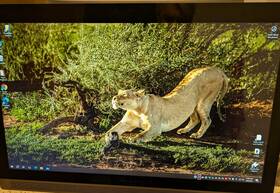
( Brand: Hp ), ( Manufacturer Part Number: V9B53AA ), ( Compatible Brand: For Hp ), ( Screen Size: 27 In ), ( Display Technology: Led Lcd ), ( Color: Silver ), ( Compatible Model: For Hp Pavilion 27-a Series ), ( Item Length: 8.20 In ), ( Aspect Ratio: 16 ), ( Compatible Product Line: For Pavilion, For Hp Pavilion ), ( Screen Finish: Glossy ), ( Type: Lcd Screen ), ( Unit Type: Unit ), ( Maximum Resolution: 1920 X 1080 ), ( Item Height: 18.56 In ), ( Country Of Origin: China ), ( Item Width: 24.18 In )
Review HP Pavilion All in one Intel Core I5-7400t 2.40ghz 8gb Ram Tb Hdd
The **HP Pavilion 27-a210t All-in-One (V9B53AA)** is a versatile and stylish desktop computer designed to deliver a seamless blend of performance, productivity, and entertainment in a sleek, space-saving form factor. Engineered with Intel s reliable **7th Generation Core i5-7400T processor**, this system operates at a steady **2.40 GHz** with Turbo Boost technology, ensuring smooth multitasking for everyday tasks, light content creation, web browsing, and office applications. The **8 GB of DDR4 RAM** provides ample memory for handling multiple applications simultaneously without lag, making it ideal for users who juggle work, streaming, or casual gaming. Storage is backed by a **1 TB HDD**, offering generous space for documents, photos, videos, and software installations, though users with heavy media needs may find it beneficial to supplement with an external SSD or cloud storage for additional capacity.
The **27-inch Full HD (1920 x 1080) IPS display** delivers vibrant colors, wide viewing angles, and sharp visuals, perfect for tasks ranging from spreadsheets and presentations to casual entertainment like movies and web series. The IPS panel ensures that images remain crisp and accurate whether you're seated directly in front of the screen or viewing from an angle, reducing eye strain during extended use. The all-in-one design eliminates the clutter of traditional desktops by integrating the monitor, CPU, and peripherals into a single, compact unit, making it an excellent choice for small offices, home setups, or shared spaces where desk space is limited. The **Windows 10 Home operating system** comes pre-installed, offering a user-friendly interface with access to the Microsoft Store for additional apps, games, and productivity tools.
Built with functionality in mind, the Pavilion 27-a210t features a **USB 3.0 port** for fast data transfer speeds, a **USB 2.0 port** for legacy devices, and an **HDMI output** for connecting to external displays or TVs, expanding your viewing or productivity options. The system also includes **Wi-Fi and Bluetooth connectivity**, enabling seamless wireless communication with peripherals like keyboards, mice, and printers, as well as internet access for streaming, online work, or gaming. While not a high-end gaming machine, the i5 processor and 8 GB of RAM allow for smooth performance in mid-range titles and casual esports games, making it a practical choice for light gaming enthusiasts.
HP has prioritized durability and ease of maintenance with this model, offering easy access to the front panel for cable management and a removable base that simplifies cleaning and airflow optimization. The **silver and black color scheme** gives it a modern, professional look that complements both home and office environments. Though not the latest in terms of hardware specifications, the **HP Pavilion 27-a210t** remains a reliable, budget-friendly all-in-one that balances performance, aesthetics, and functionality, making it a solid choice for users seeking a no-frills yet capable desktop for work, study, or leisure.
### **Pros and Cons of the HP Pavilion All-in-One (V9B53AA, 27-A210T)**
#### **Pros:**1. **Affordable Price** This model is budget-friendly compared to newer or higher-end all-in-one systems, making it a practical choice for basic computing needs.
2. **Compact and Space-Efficient Design** The all-in-one form factor saves desk space, which is ideal for small offices or home setups.
3. **Decent Performance for Everyday Tasks** The **Intel Core i5-7400T (2.40 GHz, dual-core, no hyper-threading)** handles general tasks like web browsing, document editing, light multimedia, and office work efficiently.
4. **8GB RAM** Sufficient for multitasking (e.g., browsing while editing documents or watching videos), though not ideal for heavy multitasking or modern gaming.
5. **1TB HDD Storage** Provides ample space for files, software, and media, though HDDs are slower and more prone to failure than SSDs.
6. **Built-in Webcam and Microphone** Useful for video calls, though quality may not be premium.
7. **Windows 10 (or 11, depending on model)** A stable and widely supported operating system with access to a vast software library.
8. **Basic Multimedia Capabilities** Decent speakers and a 27-inch display (likely 1080p) make it suitable for casual media consumption.
9. **Easy Setup and Maintenance** All-in-one systems typically require less troubleshooting than desktops with separate components.
10. **Good for Students or Light Professionals** Suitable for typing, research, and basic creative work (e.g., photo editing with lightweight software).
---
#### **Cons:**1. **Outdated Hardware (2017-2018 Model)**
- The **i5-7400T** lacks hyper-threading and is significantly slower than modern quad-core/hex-core CPUs.
- No **PCIe 3.0/4.0 support**, limiting upgrade potential (e.g., no easy GPU or SSD upgrades).
- **No USB-C or Thunderbolt ports**, which are common in newer systems for faster data transfer and peripheral connectivity.
2. **HDD Instead of SSD**
- The **1TB HDD** is slower for booting, loading applications, and file transfers compared to an SSD.
- Higher risk of failure over time compared to SSDs.
3. **Limited RAM Upgradeability**
- Most all-in-one systems do not allow RAM upgrades, so you re stuck with the **8GB** unless you replace the entire machine.
4. **Display Quality May Be Mediocre**
- The **27-inch 1080p panel** is likely an IPS or basic LCD, which may not have vibrant colors or high refresh rates.
- No mention of **4K or high-refresh-rate support**, which is common in newer models.
5. **Cooling and Noise Concerns**
- The **i5-7400T** is a **low-power (15W) CPU**, which means it runs cooler but may throttle under heavy loads, leading to slower performance in demanding tasks.
- Some users report **fan noise** when under load.
6. **No Dedicated GPU**
- Relies on **integrated Intel HD Graphics 630**, which is insufficient for **gaming, 3D rendering, or video editing**.
7. **Battery Life (If Laptop Mode is Available)**
- If this model has a battery (unlikely, as most AIOs are desktop-bound), it would be underpowered for portability.
8. **Potential for Driver and Software Issues**
- Older Windows versions (e.g., Windows 10 without updates) may lack security patches or compatibility with newer software.
9. **Limited Port Selection**
- Likely includes **HDMI, USB 3.0, and legacy ports (VGA, USB 2.0)**, but lacks modern connectivity like **USB-C, DisplayPort, or SD card readers**.
10. **Resale Value**
- Older AIOs depreciate quickly, so this may not hold value well if you decide to upgrade later.
---
### **Ending Conclusion:** This **HP Pavilion All-in-One (27-A210T)** is a **budget-friendly, functional machine** best suited for **basic computing needs** such as:- Office work (Word, Excel, email)
- Web browsing and streaming
- Light photo editing (with non-demanding software)
- General home or student use
**However, it is not ideal for:**- Gaming or graphics-intensive tasks
- Heavy multitasking (e.g., running multiple VMs or 4K video editing)
- Future-proofing (due to outdated hardware)
- Users who need **fast storage (SSD) or modern ports (USB-C, Thunderbolt)**
If you **only need a machine for simple tasks and can t afford a newer model**, this could be a **temporary solution**. But if you plan to use it for **more demanding work or long-term use**, investing in a **newer all-in-one with an SSD, better CPU, and modern ports** (e.g., a **2022-2024 model with an i5/i7 and 16GB RAM**) would be a **much better long-term choice**.
---
### **Recommendation:** - **Buy this model if:**- You need a **cheap, no-frills machine** for **basic tasks** (school, office work, light browsing).
- You **won t upgrade software or hardware** in the next few years.
- You **don t mind slower performance** for non-demanding applications.
- **Avoid this model if:**- You require **faster performance** (e.g., for programming, light gaming, or video editing).
- You want **modern connectivity (USB-C, HDMI 2.1, etc.)**.
- You prefer **SSD storage** for quicker boot and load times.
- You plan to **keep the PC for more than 3-4 years**.
#### **Better Alternatives (If Budget Allows):** - **Budget All-in-One (2022-2023):**- **Lenovo IdeaCentre AIO 3 (i5-12450H, 16GB RAM, 512GB SSD, 24" 1080p)** Better performance, SSD, and modern ports.
- **HP 24-a010 (i5-12450H, 8GB/16GB RAM, 512GB SSD, 24" 1080p)** More affordable upgrade.
- **Refurbished/Used High-End AIO:**- A **2020-2021 model with an i7, 16GB RAM, and SSD** (e.g., **Dell XPS AIO, Lenovo Yoga AIO**) could offer **better value** than this older model.
- **Gaming/Workstation Alternative:**- If you need **better performance**, consider a **prebuilt desktop** (e.g., **Dell OptiPlex, HP EliteDesk**) with **upgradable RAM/SSD and a dedicated GPU**.
**Final Verdict:**This HP Pavilion is a **decent short-term solution for basic needs**, but **not worth buying new for long-term use**. If possible, **wait for a sale on a newer AIO with an SSD and better specs**, or **consider a used/refurbished high-end model** for better performance.
Details:
Features: Built-in Camera, Speakers, Wi-Fi Adapter, Memory Card Reader, Optical Drive. Type: All-in-One. Screen Size: 27 in. HP Pavilion All-in-One 27-A210T Intel Core i5-7400T 2.40GHz 8GB RAM 1 TB HDD, Brand.
Operating System: Windows 10 Home. Series: HP Pavilion. Model: All-in-One 27-A210T. Color: Black/Silver.
Most Suitable For: Casual Computing.
part #: v9b53aa prices
- $38.21-$59.99
specifications laptoscreelc:
- brand: Hp
- mpn: V9b53aa
- compatible brand: For Hp
- screen size: 27 In
- display technology: Led Lcd
- color: Silver
- compatible model: For Hp Pavilion 27-a Series
- item length: 8.20 In
- aspect ratio: 16
- compatible product line: For Pavilion, For Hp Pavilion
- screen finish: Glossy
- type: Lcd Screen
- unit type: Unit
- maximum resolution: 1920 X 1080
- item height: 18.56 In
- country of origin: China
- item width: 24.18 In
offer laptoscreelc:
- started: February 8, 2026
- quantity: 1
- options: Ship-to-home
- sold: 0
- availability: In Stock
returns laptoscreelc:
- policy: No Returns
payments laptoscreelc:
- other
- wallet: Apple-pay
- credit card: Visa
shipping laptoscreelc:
- carrier: USPS, FedEx
- transit: 4-11 Days
- class: Standard, Economy
- type: Calculated
- service: USPS Ground Advantage, FedEx Ground Economy
- cost: $129.71
seller laptoscreelc:
- city: San Antonio, Texas
- # reviews: 168
- rating: 100.0%
general laptoscreelc:
- Computer Components Parts > Laptop Replacement Parts > Laptop Screens LCD Panels
- condition: Used
Hp V9B53AA Is Similar To:
- 0 Mc.fz.377 Bestparts Hp Pavilion Touchsmart Touch Screen Digitizer Glass Tablet (32.7% similar) This is genuine part SIZE:15. Compatible model's: Hp pavilion touch smart 15-F010DX, 15-F100DX, 15-F111DX. New and in good working condition. Best replacement for your faulty touch screen, function problems, or cracked screens...(July 28th, 2018)
- 11-k137cl Hp Pavilion Convertible Touch Assembly (28.8% similar) 98 for 48 us. 6 resolution: GSX condition brand new, direct from manufacture 100 compatible replacement screen display liquid crystal lcd used on this laptop model could be different manufacturers. Please match your original screens back light type, size and resolution before you make the purchase. ...(January 22nd, 2019)
- 11-n-digi Touch Screen Digitizer Glass For Hp Pavilion Laptops 738447546910 (18.9% similar) Compatible model's: Hp pavilion 11-N, 11-N083SA, 11-N010DX, 11-N015TU, X360. You can always if are unsure. only ships products within the USA. This is not the actual screen. This is the glass on top of screen that reacts to touch. New laptop replacement black digitize touch screen glass 11. 6 touch...(September 18th, 2018)
- 11-n010dxassembly Hp Genuine Pavilion X360 (22.2% similar) Genuine Hp pavilion X360 11-N010DX complete lcd touchscreen assembly this listing is for. Item has been tested and is in good working condition. Item is used and has some scuffs, scratches, signs of wear. Pulled from a working unit. Look at pictures for more details...(February 1st, 2018)
- 11-r014wm Hp 11.6 Laptop Intel (19.3% similar) Legal Monte de pie dad has used its best efforts to inspect the items for sale and create furnish photographs that fairly adequately depict type, condition image of goods at time...(October 19th, 2017)
- 11m-ad Lcd Hp Pavilion Series Touchscreen Complete Assembly (29.4% similar) Please understand that, if a part does not fix your computer, that mean the is defective lcd touchscreen complete assembly T339 back cover has scratches. We help computer repair centers and private individuals to their computers save money avoid unnecessary electronic waste at the landfill. 5 all ...(November 23rd, 2018)
- 13-a019wm Hp Pavilion X360 13.3 (26.1% similar) Make the best deals with us. Shows light minor scratches and marks. Actual item pictured. Hp pavilion X360 13. If for some reason you are not satisfied with received item, e-mail us through messages A019WM lcd glossy touch screen complete assembly glop is in very good working and cosmetic condition...(February 20th, 2018)
- 13-b000 Unbranded-generic Hp Pavilion Led Lcd (23.3% similar) The fee is not including on shipping charge. Please match your laptop model and original screens back light type, size, data cable pin, resolution before you purchase this item, because even same model's come with more than one type of screens. 80 for 46 us. 80 for 48 us. 9 for 50 us...(February 11th, 2017)
- 13-u003la Hp Pavilion X360 For (28.1% similar) Warranty 60 day against defects. Satisfaction guarantee 100 against defects, or your money back...(November 14th, 2017)
- 13-u102nr 13-u104nr 13-u163nr 13-u165nr Ledoled Fhd Lcd Touchscreen For Hp Pavilion 715802398292 (17.8% similar) How to replace your lcd screen. On the backside of screen or laptop, you can see one several labels with numbers. Item specifics brand: size: 13. Resolution: 1920X1080COMPATIBLE brand: for Hp compatible product line pavilion screen finish: glossy display technology: led region of manufacture: ...(January 10th, 2019)
- 13-u138ca-screen Hp Genuine Pavilion Led Lcd Touch Screen Assembly (24% similar) Look at pictures for details. Pulled from a working unit. Screen is in good condition. Item is fully tested and works great. Genuine Hp pavilion 13-U138CA led lcd touch screen assembly this listing is for. Item is used...(April 25th, 2018)
